Introduction
mt is a tool that helps you facilitate the learning process and organize knowledge efficiently. In other words, it's a "knowledge manager meets spaced repetition" kind of tool.
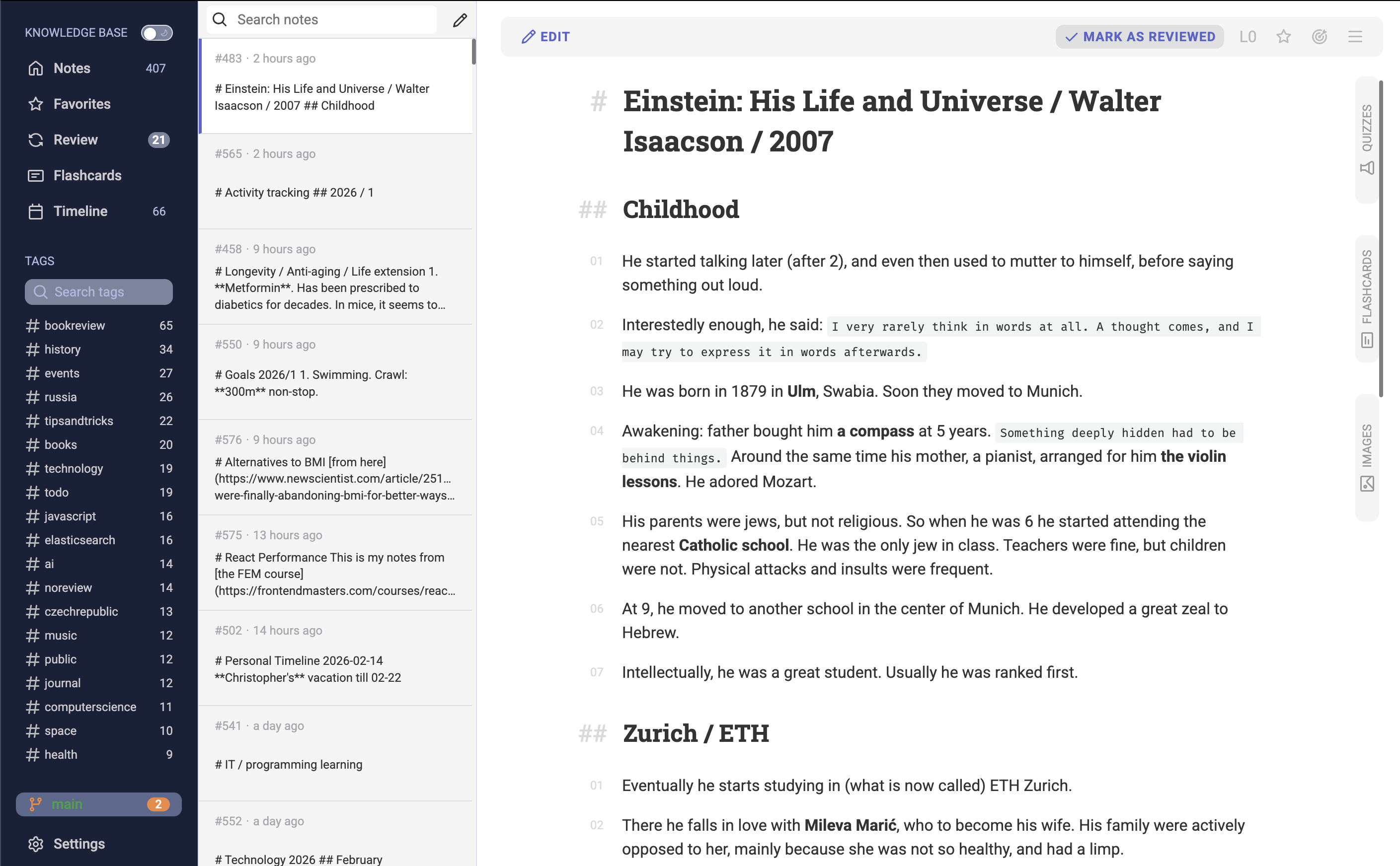
mt provides a set of tools on top of your notes (spaced-repetition, Anki-like flashcards, quizzes, etc.). It uses AI where it can help, without interfering with the knowledge acquisition process.
The main goal of mt is this — help you learn and retain information effectively.
In the heart of it, mt is just an interface on top of markdown files that are stored in a directory on your computer. Markdown files are surprisingly powerful. Not only do they let us structure information using headers, lists, tables, etc., but they are also easy to extend. We support code blocks with syntax highlighting, mermaid diagrams, and more.
The "spaced repetition" part is what makes mt different from other note-taking tools. Once you add a note, it enters a review schedule — the system reminds you to review the note at optimal intervals to maximize retention. This is a well-known scientifically-proven technique that improves retention. Reviewing a note is as simple as opening it, reading it, and marking it as reviewed. Check the reviewing section for more details.
Two other important features of mt are flashcards and quizzes.
Flashcards are great to test your knowledge and reinforce what you've learned. If you're familiar with Anki-like cards, you'll feel right at home.
Quizzes are generated automatically based on provided text (using large language models). For example, I use it all the time by pasting entire chapters of the books I read and taking the quizzes to test my understanding of the material. Learn more about quizzes in the quizzes section.
Next
Next step: Creating Your First Note.